
Problem Background: Edge Browser Privacy Policy Causes E+H Query Tool to Fail
Microsoft Edge browser integrates the advantages of Chrome and is compatible with IE mode, and has become the preferred choice for office work. However, the new Edge has made many changes to its privacy policy, causing third-party cookies to be unable to directly access the original website.
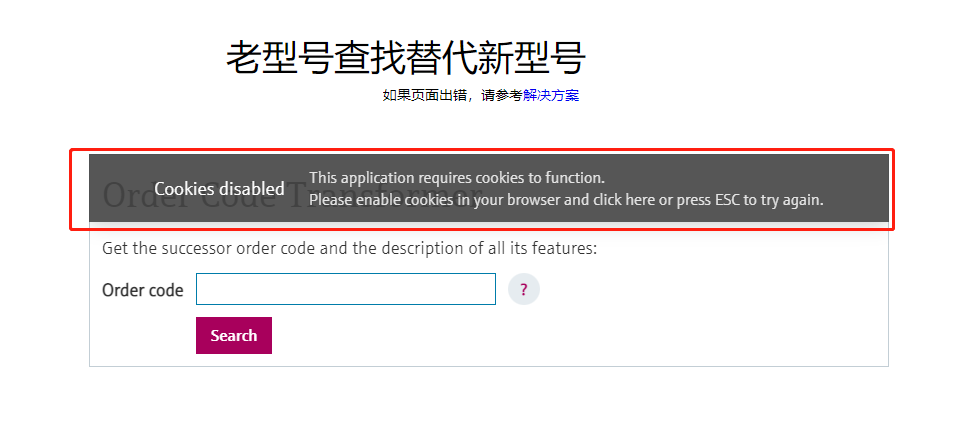
This directly causes our site's E+H alternative model query tool to fail to work directly in the Edge browser, and users need to open IE browser separately to query. The figure below shows the abnormal state of this tool in Edge:
Solution: Use Edge's Built-in IE Compatibility Mode
This problem can be temporarily solved through Edge browser's IE compatibility mode. This mode allows websites to load in the Internet Explorer environment, thereby bypassing privacy policy restrictions.
Setup Steps
- Enter in the browser address bar:
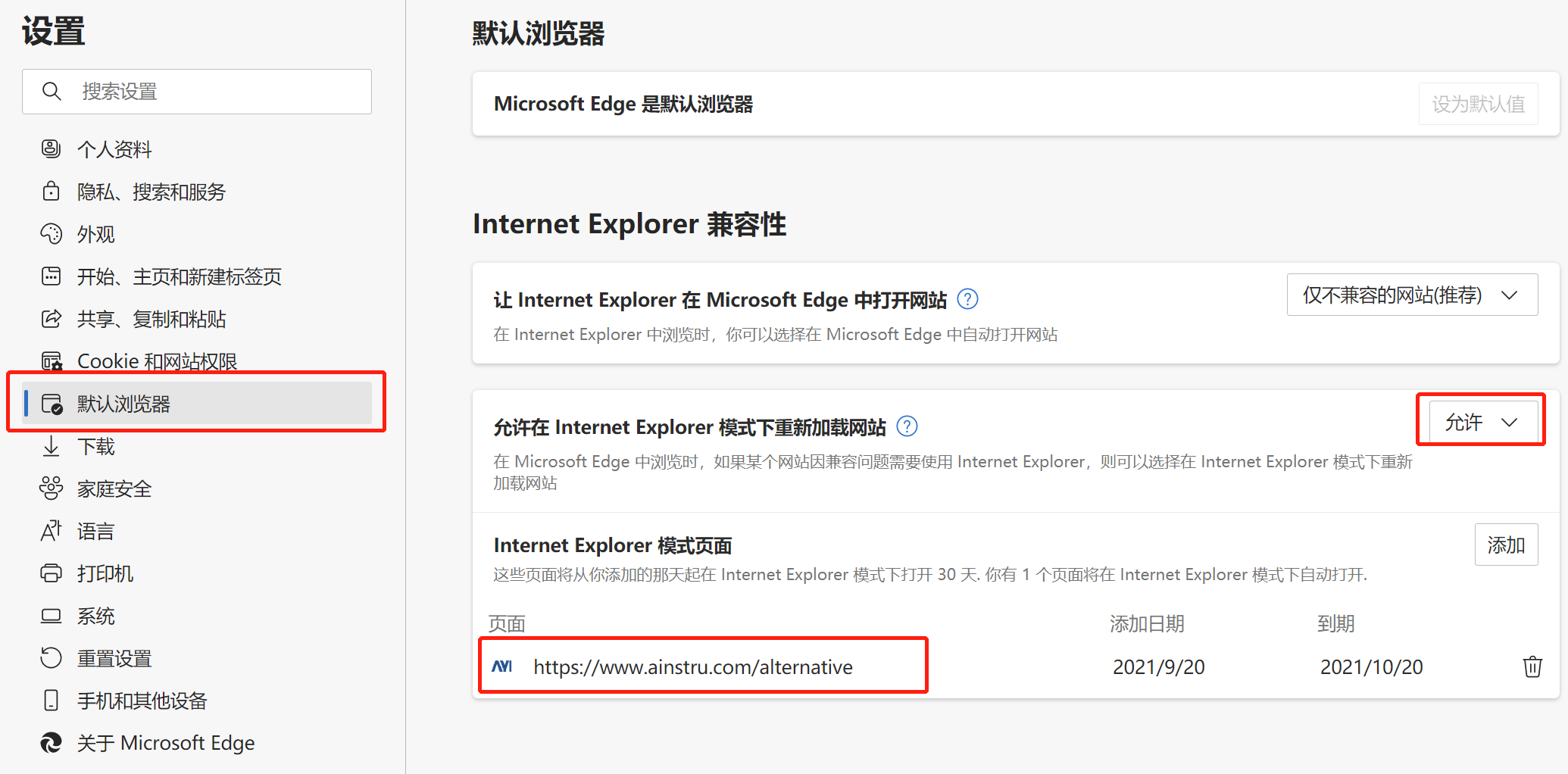
edge://settings/defaultBrowser, and set "Allow sites to be reloaded in Internet Explorer mode" to Allow. - Add the URL
https://www.ainstru.com/alternativeto the IE mode site list. See the figure below for specific operations:
- Restart the browser after completing the setup.
Note: This setting is valid for 30 days, and needs to be reset every 30 days. There is currently no once-and-for-all solution.
Verify the Setup Effect
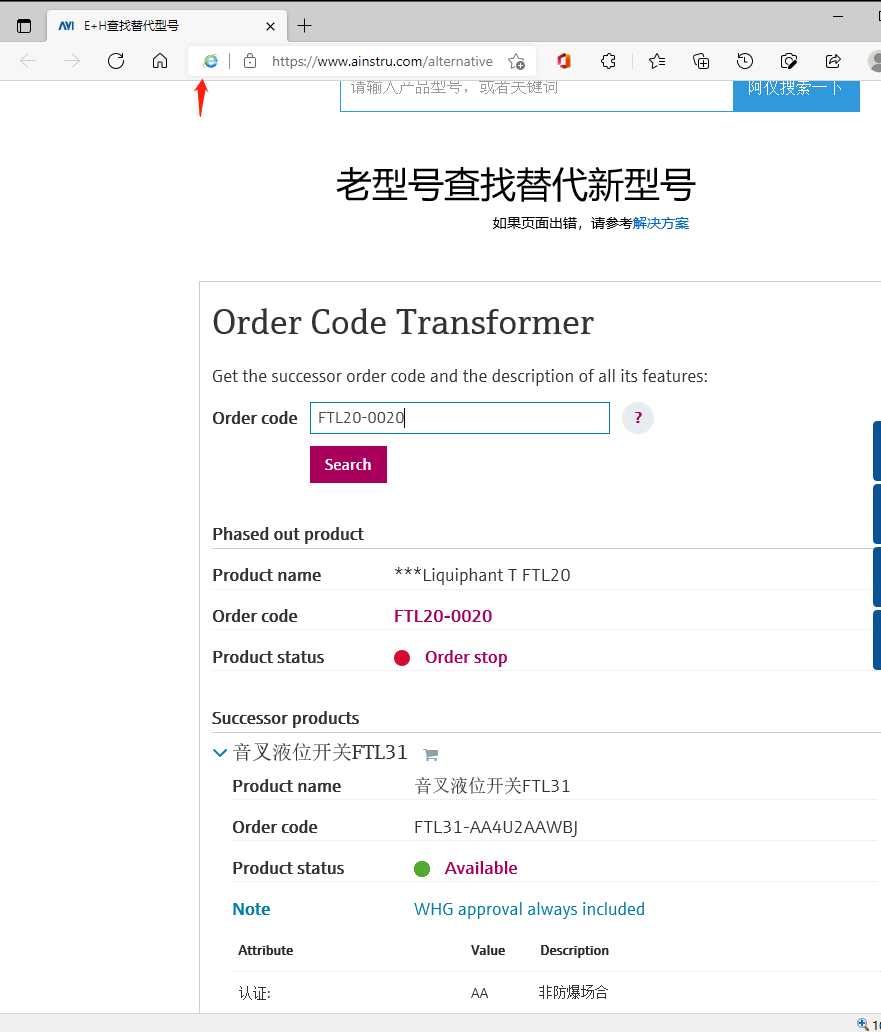
Revisit the E+H alternative model query tool and it should work normally. At this time, the address bar will display an IE icon, indicating that the current page is running in IE mode, as shown in the figure below:
Extended Application: Other Websites That Need IE Mode
This method is also applicable to some bank, government agency, and other websites. These websites are usually only adapted to IE mode and do not support the Chrome kernel. Through Edge's IE compatibility mode, they can be accessed uniformly in Edge without switching browsers.
Summary
- Core issue: Edge privacy policy blocks third-party cookies, causing the E+H query tool to fail.
- Temporary solution: Enable Edge's IE compatibility mode, add the site, and reset periodically.
- Applicable scenarios: Banks, government, and other websites that only support IE.
Original by Aiyi Technology, your E+H instrument expert by your side!