
Overview of E+H Model Query Server Crash Issue
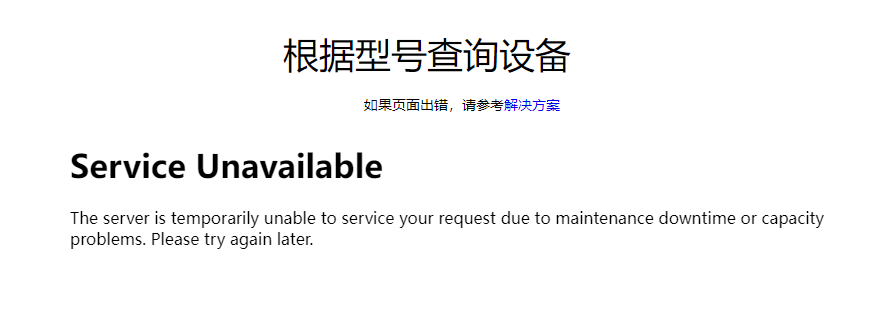
Recently, the E+H model query tool experienced a server crash, with the page returning a Service Unavailable error. This error indicates that the server is temporarily unable to handle requests due to maintenance downtime or capacity issues, and it is recommended to try again later. This prevents users from obtaining model information through the original query tool.
Alternative Query Solution: Product Page Model Configuration
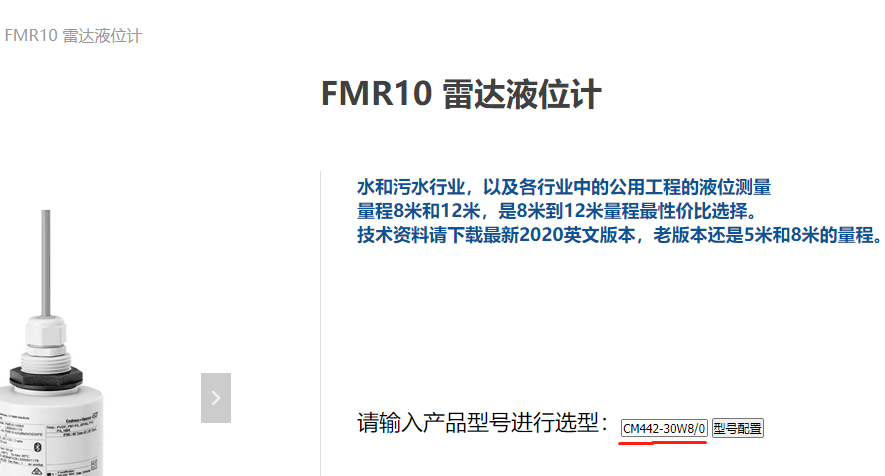
When the model query tool is unavailable, you can still query through the model configuration input box on the product page. This method does not rely on the original query server, and the operation is simple and direct.
Specific Operation Steps
- Open the target product page, for example, the product page for FMR10.
- Enter the complete model in the model configuration input box, such as CM442-20W8/0.
- Click the Model Configuration button.
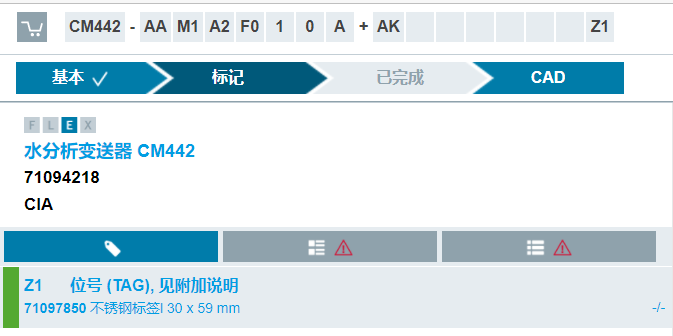
- The system will jump to the specific configuration page, displaying detailed configuration information for that model.
Solution Comparison and Notes
| Query Method | Availability | Operation Complexity | Applicable Scenarios |
|---|---|---|---|
| Original model query tool | Unavailable when the server crashes | Simple | When the server is normal |
| Product page model configuration | Always available | Simple | When the query tool fails |
When using the product page query, please ensure that the entered model format is correct, including hyphens and slashes. If the query returns no results, try checking whether the model is complete or contact technical support.
Summary
When the E+H model query server crashes, product page model configuration is a reliable alternative. By entering the complete model and clicking configure, you can quickly obtain detailed configuration information and resolve the query interruption issue.
Ayi Technology, your E+H expert by your side.