
Key Function Description for Guided Wave Radar Level Transmitter FMP5X
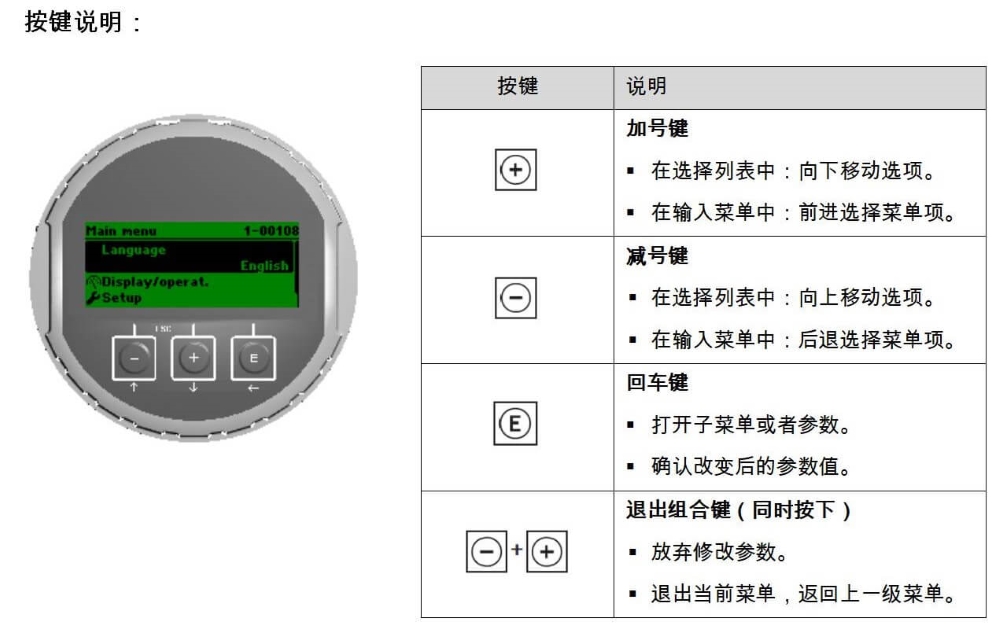
The operation of the guided wave radar level transmitter FMP5X relies on three keys on the panel: the "+" plus key, the "-" minus key, and the "E" enter key. Correctly understanding the function of each key is a prerequisite for basic settings.
Detailed Functions of Each Key
- "+" plus key: In the selection list, moves the option downward; in the input menu, moves forward to select menu items.
- "-" minus key: In the selection menu, moves the option upward; in the input menu, moves backward to select menu items.
- "E" enter key: Opens submenus or parameters; confirms the changed parameter value.
- "+-" combination key: Press the "+" and "-" keys simultaneously to abandon parameter modification, exit the current menu, and return to the previous menu.
After becoming familiar with these key operations, you can efficiently browse menus and adjust parameters.
Basic Setting Steps for Guided Wave Radar Level Transmitter FMP5X
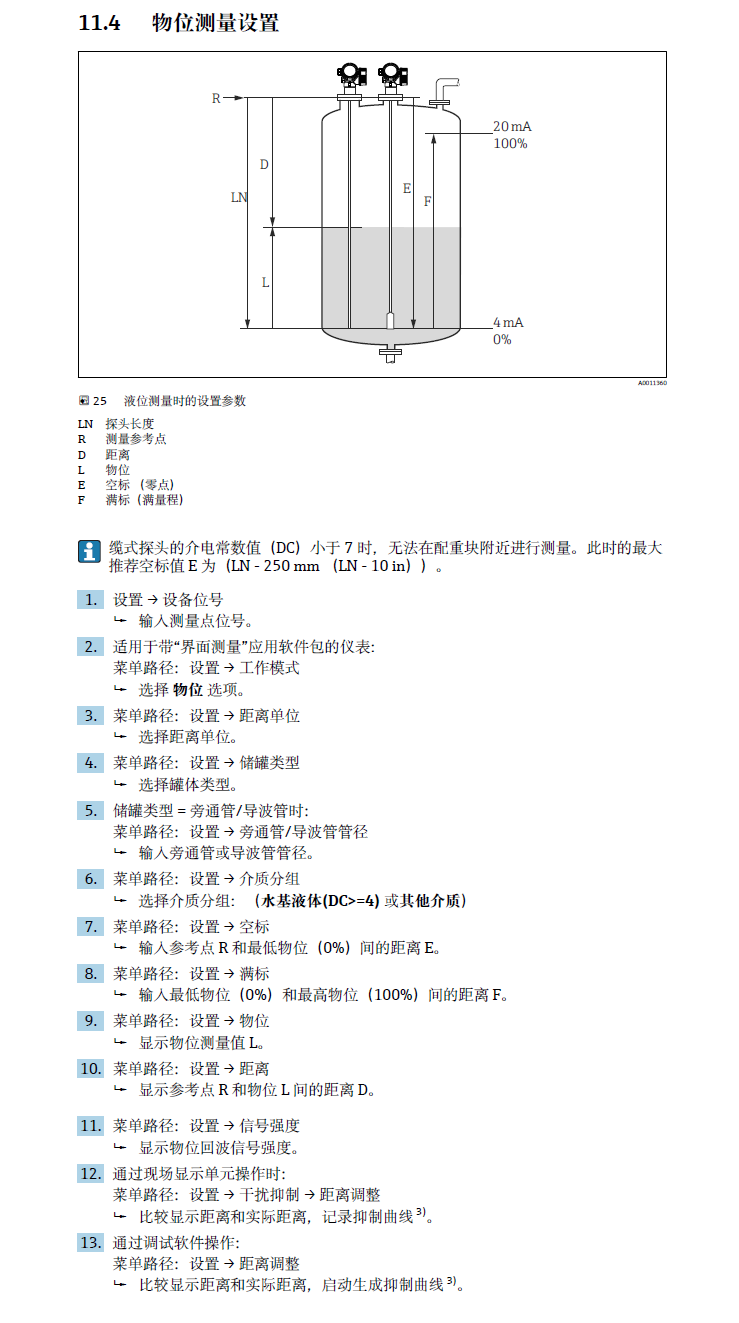
When performing basic settings, please follow the steps below to ensure parameters are entered correctly.
- Use the "+" or "-" key to browse the menu and find the parameter item to be set.
- Press the "E" key to enter that parameter or submenu.
- Use the "+" or "-" key to adjust the parameter value or select an option.
- Press the "E" key again to confirm the modification.
- If you need to abandon the modification and exit, press the "+" and "-" keys simultaneously.
During operation, pay attention to the display feedback to ensure each step is executed correctly.
Comparison of Common Operations and Precautions
To understand the key functions more intuitively, the table below summarizes the key actions in different scenarios:
| Key | Function in Selection List | Function in Input Menu |
|---|---|---|
| "+" plus key | Move option downward | Move forward to select menu items |
| "-" minus key | Move option upward | Move backward to select menu items |
| "E" enter key | Open submenu or parameter | Confirm changed parameter value |
| "+-" combination key | Abandon modification, exit current menu | Return to previous menu |
Note: When pressing the "+" and "-" keys simultaneously, be sure to operate them at the same time; otherwise, the exit function may not be triggered. Correct use of the combination key can avoid misoperation and improve setting efficiency.
After mastering the above basic setting methods, you can perform daily parameter adjustment and maintenance on the guided wave radar level transmitter FMP5X.