
Basic Commissioning of CM42 Transmitter with DO Dissolved Oxygen
The CM42 transmitter paired with DO dissolved oxygen sensors is widely used in industrial water treatment, environmental monitoring, and other fields. Correct installation, wiring, and commissioning are key to ensuring measurement accuracy and stable equipment operation. This article introduces the commissioning process step by step.
1. Installation Methods
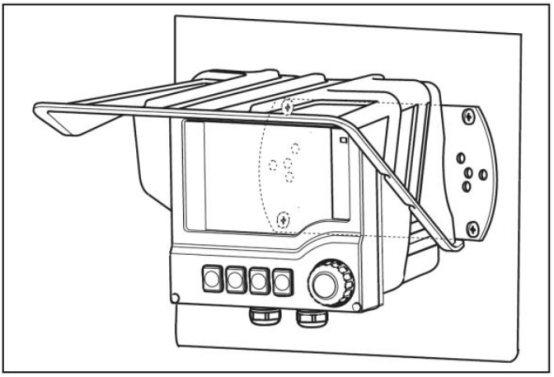
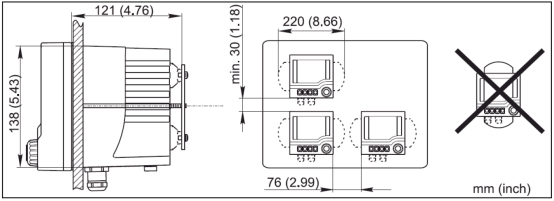
The CM42 transmitter supports four installation methods, which can be selected according to on-site conditions. Horizontal or vertical pipe installation requires additional ordering of installation accessories.
1.1 Horizontal Pipe Installation
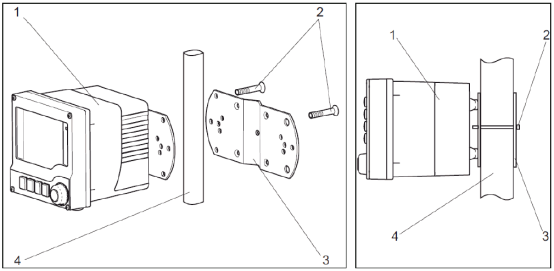
1.2 Vertical Pipe Installation
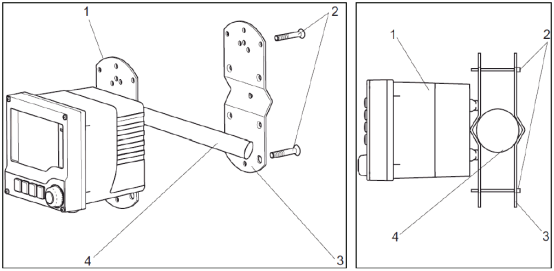
Note: Horizontal and vertical pipe installation require additional ordering of installation accessories.
1.3 Wall Mounting (Optional Weather Protection Cover)
1.4 Panel Mounting
2. Wiring
Note: Perform plastic housing grounding and cable grounding according to the figure below.
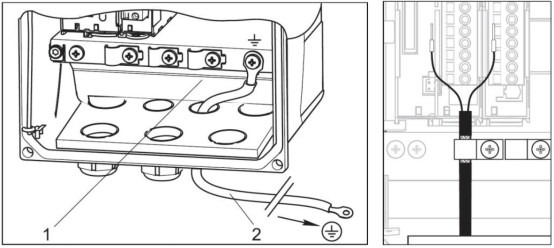
2.1 Power/Signal Wiring
2.1.1 One Current Output and Two Current Outputs (Optional)
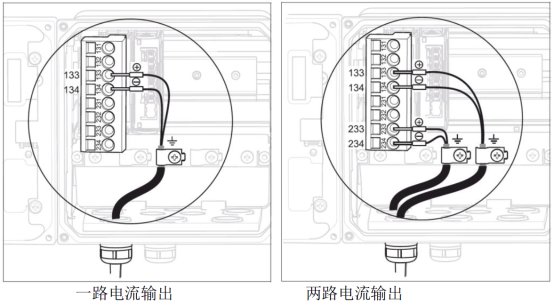
Note: The allowable supply voltage range is 12.5 to 30 VDC.
2.1.2 Foundation Fieldbus and Profibus PA Bus Wiring
There are three options as follows:
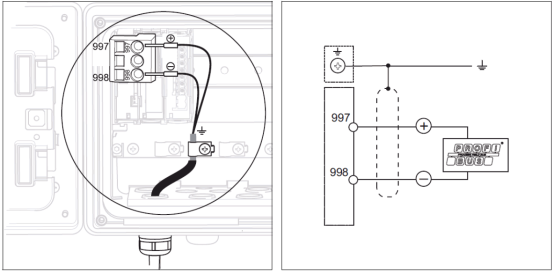
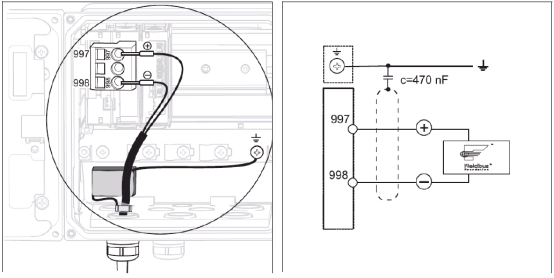
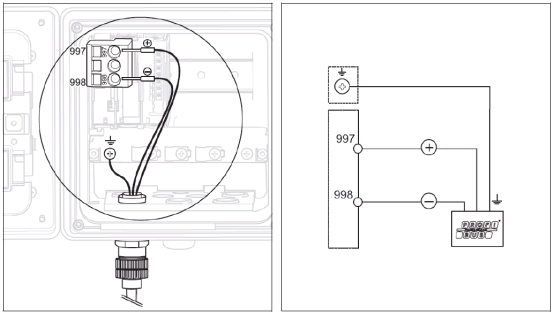
Note: The allowable supply voltage range is 9 to 32 V DC.
2.2 Memosens Digital Sensor Wiring
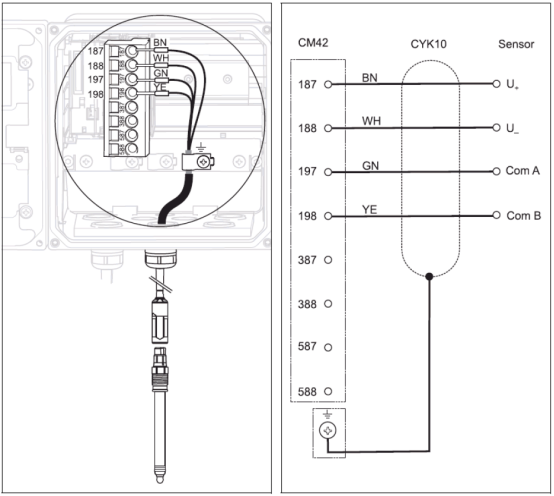
- Connect the four cable wires (brown, white, green, yellow) to terminals 187, 188, 197, 198 respectively.
- The sensor cable shield must be grounded.
Note: Ensure all cable glands are tightened and sealed.
3. Button Functions
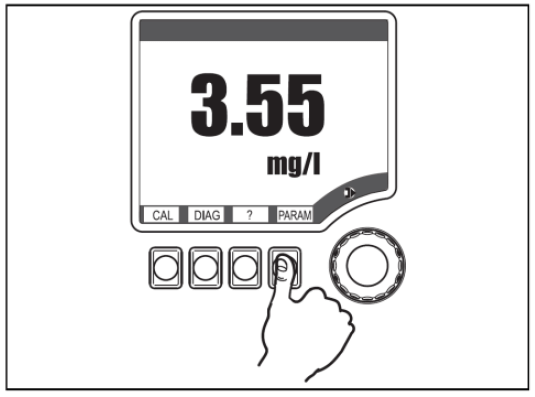
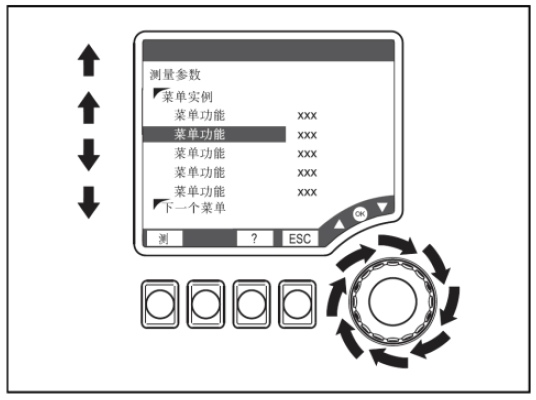
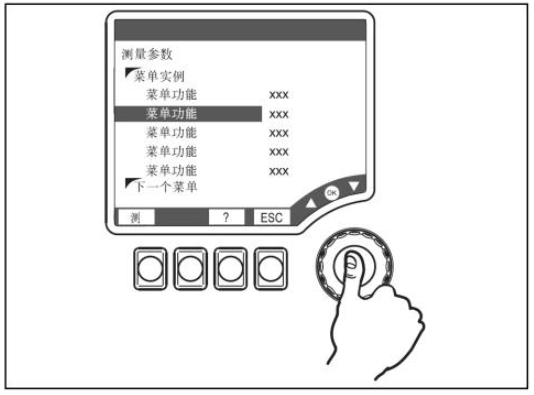
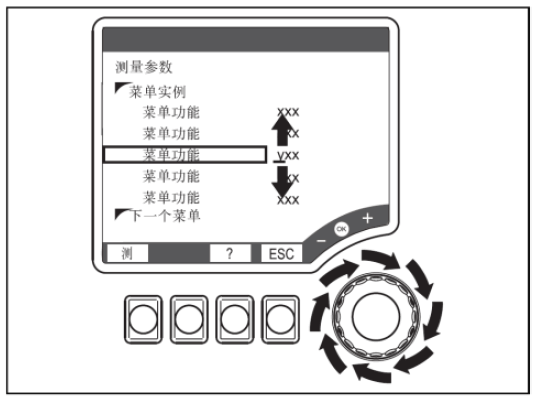
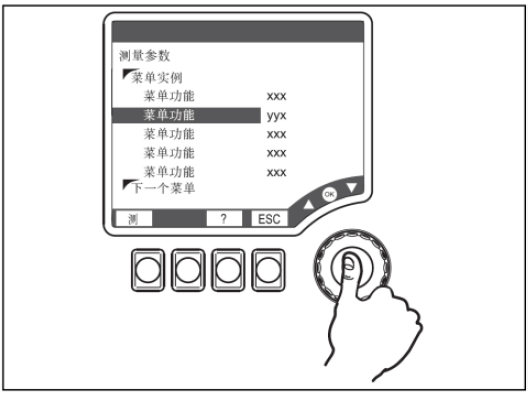
The transmitter operation interface includes soft keys and a navigator. The specific functions are as follows:
- Press soft key: Directly select menu
- Rotate navigator: Move cursor within the menu
- Press navigator: Select function
- Rotate navigator: Change value
- Press navigator: Accept new value
The positions of each button are shown in the figures below:
4. Settings
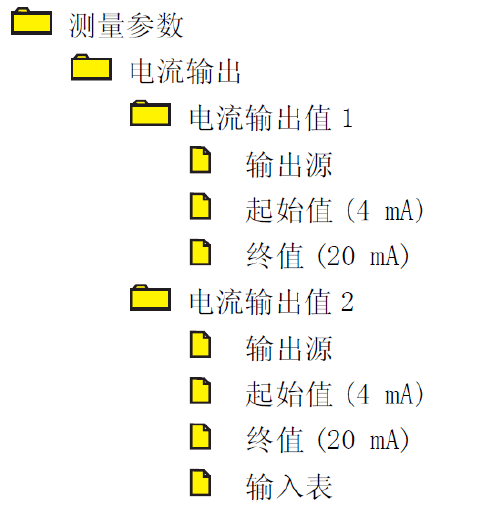
4.1 Range Setting
Set the "Start value" and "End value" under the "Measurement parameter/Current output" menu. The specific menu location is as follows:
4.2 Transmitter Reset
Select "Factory default settings" under the "Diagnostics/Maintenance service/Factory default settings" menu. The device will restart, and all settings will be reset to factory defaults.
5. Calibration
Enter the "Calibration" menu, select "Air 100%rf", and follow the menu prompts to complete slope calibration. The main steps are as follows:
- Remove the probe from the medium, clean it thoroughly, and dry it.
- Wait for the measured value to stabilize in air.
- After stabilization, select Start calibration.
- After calibration is complete, the status is displayed: whether the calibration is valid. Select "Store data for adjustment" or "Discard data".
When measuring trace dissolved oxygen in ultrapure water (ppb level), zero-point calibration must be performed using a zero-point solution.
- Add half a bottle of zero-point powder to 1 liter of tap water and dissolve thoroughly, then place the fully polarized sensor into the zero-point solution.
- Press the CAL key and enter the "Calibrate dissolved oxygen/Zero point" menu to perform zero-point calibration.
Remarks: Pay attention to the sensor polarization time. Some sensors require 12 hours to fully polarize. A warning is displayed when the reading exceeds 1 nA, and an alarm is triggered when it exceeds 3 nA, indicating zero-point calibration failure!
6. Common Fault Codes
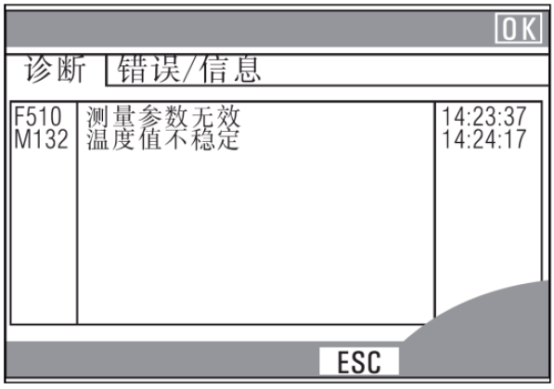
The transmitter continuously performs self-monitoring. If the device detects an error, the red alarm LED will light up. Information about the error can be read in the "Diagnostics/Error messages" menu. Examples are as follows:
7. Sensor Maintenance
7.1 Maintenance of COS31/41/51D/71
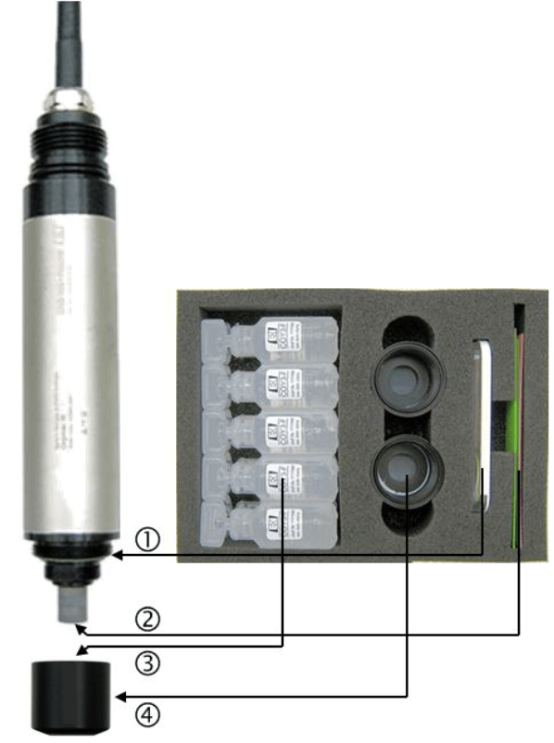
- Replace the sealing ring if damaged.
- Drop a few drops of water onto the sandpaper and polish the gold cathode at the front of the sensor for 1 minute.
- Refill with fresh electrolyte, and tap the membrane cap with a screwdriver to remove attached air bubbles.
- Screw the new membrane cap all the way down to prevent membrane rupture.
- Place the sensor in air for recalibration, avoiding direct sunlight.