Promag 400 Commissioning Overview
Promag 400 is a high-performance electromagnetic flowmeter launched by Endress+Hauser, widely used in industrial flow measurement. Through Fieldcare commissioning software, parameter configuration, diagnostics, and maintenance can be completed efficiently. This article is intended for engineering and technical personnel and procurement, providing a detailed commissioning guide.
Preparation Before Commissioning
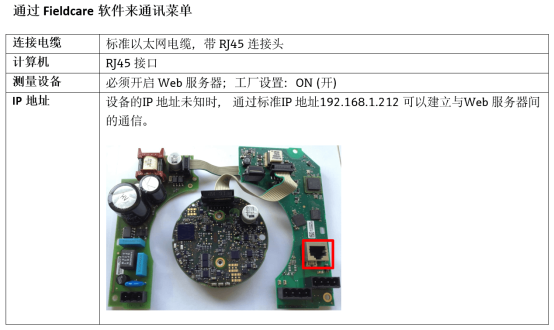
Hardware Connection
- Ensure that the Promag 400 is correctly installed and powered on.
- Prepare Fieldcare software and a communication interface (such as Commubox FXA195).
- Connect the instrument to the computer and check the communication status.
Software Installation
- Download and install Fieldcare from the Endress+Hauser official website.
- Install the device DTM (Device Type Manager) to support the Promag 400.
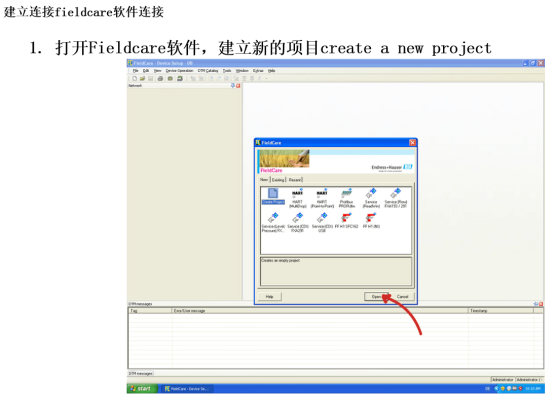
- Launch the software and create a new project.
Commissioning Steps
Establishing Communication
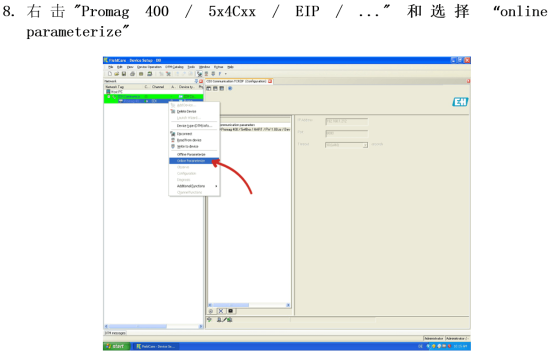
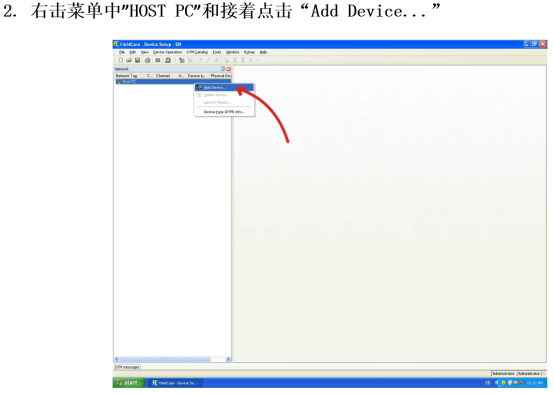
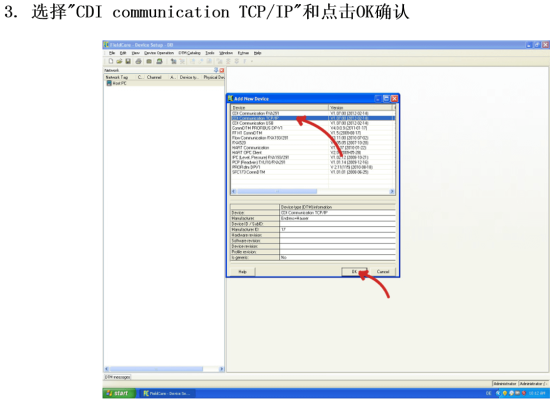
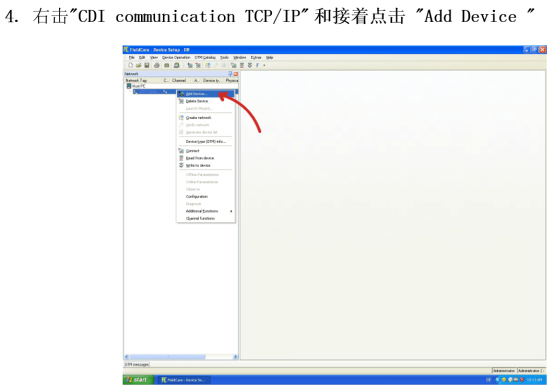
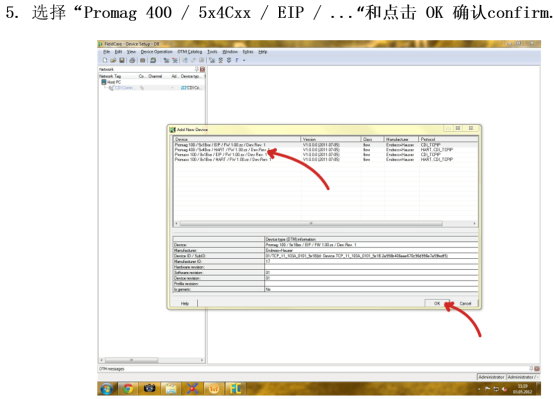
- Add the device in Fieldcare and select the correct communication protocol (such as HART).
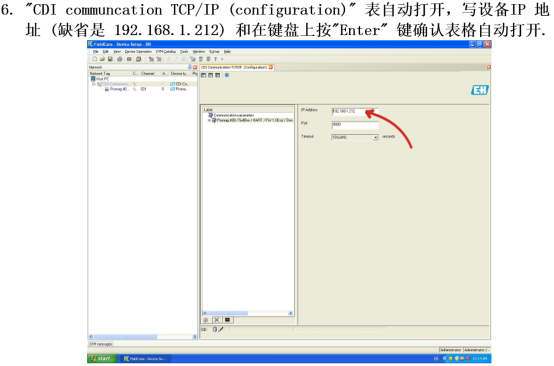
- Set the communication parameters (address, baud rate, etc.).
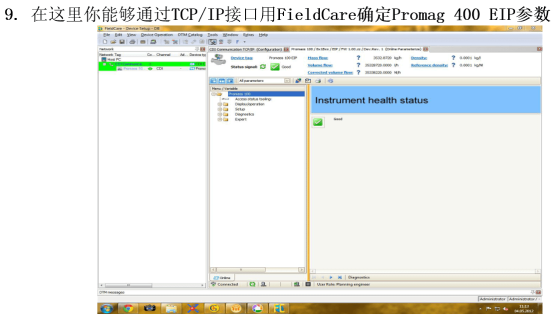
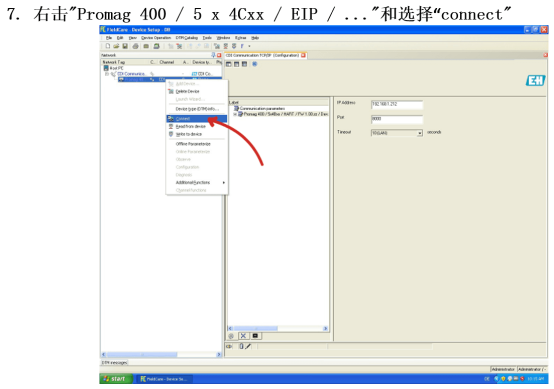
- Click Connect and confirm that communication is successful.
Parameter Configuration
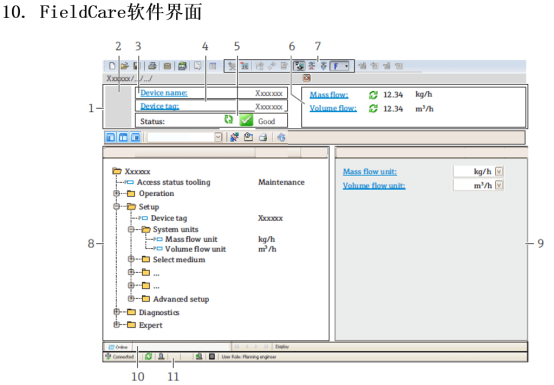
- Measurement parameters: set pipe size, medium type, flow unit, etc.
- Output configuration: configure current output, pulse output, etc.
- Display settings: adjust display language, backlight, etc.
Calibration and Verification
- Perform zero point calibration to ensure the output is 4 mA when there is no flow.
- Use a simulator or actual flow to verify measurement accuracy.
- Record the calibration data.
Common Problems and Solutions
| Problem | Possible Cause | Solution |
|---|---|---|
| Unable to communicate | Incorrect wiring, address conflict | Check wiring, confirm the address is unique |
| Fluctuating measurement values | Medium contains bubbles, poor grounding | Vent air, check grounding |
| Abnormal output signal | Incorrect parameter settings | Reconfigure output parameters |
Post-Commissioning Checks
- Confirm that all parameters have been saved.
- Perform an actual flow test to verify measurement accuracy.
- Back up the project file for future maintenance.
Summary
Commissioning the Promag 400 through Fieldcare can greatly improve efficiency. By following the above steps and paying attention to details, stable instrument operation can be ensured. For more support, please refer to the official documentation or contact technical support.