
Promass 10 Commissioning Wizard Overview
Promass 10 is a Coriolis mass flowmeter launched by Endress+Hauser, widely used in chemical, petroleum, food, and other industries. Its commissioning wizard function guides users step by step through instrument setup, simplifying the commissioning process. This article provides an overview of the main interfaces and steps of the commissioning wizard to help engineering technicians get started quickly.
[Click the image to enlarge]
Core Steps of the Commissioning Wizard
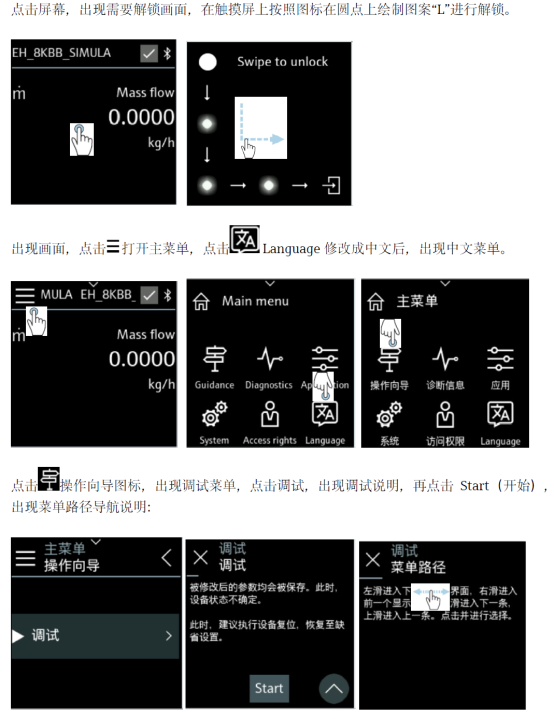
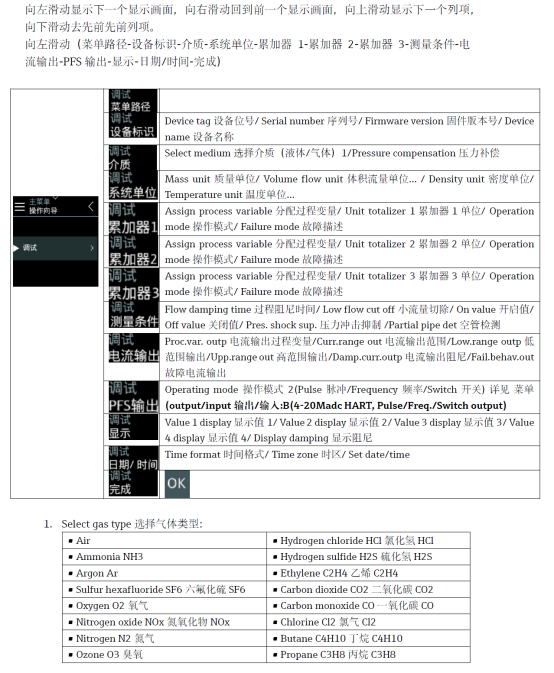
The commissioning wizard uses a series of interactive interfaces to ensure instrument parameters are correctly configured. The following are the key steps:
- Start the wizard: After the instrument is powered on, start the wizard via the local display or commissioning software.
- Select language: Choose the interface language according to the operator's preference.
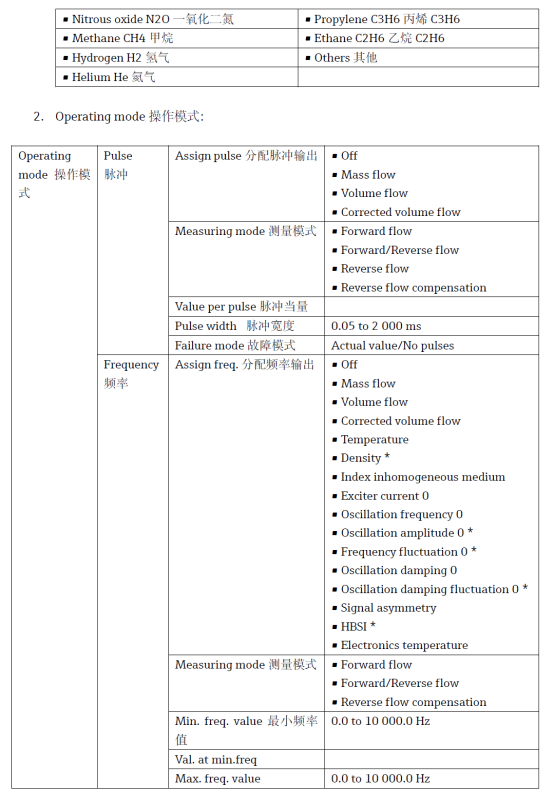
- Set units: Configure measurement units such as mass flow, volume flow, and density.
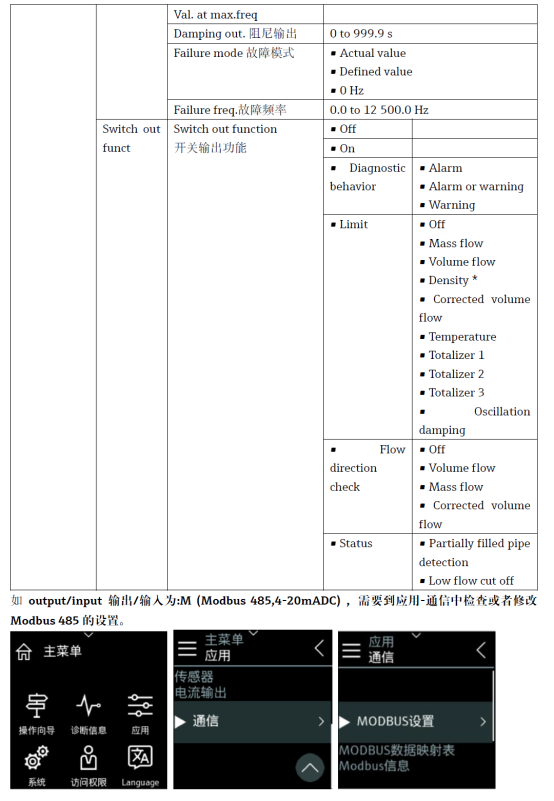
- Configure outputs: Set current output, pulse output, or digital communication parameters.
- Complete commissioning: Save the settings and exit the wizard; the instrument enters measurement mode.
[Click the image to enlarge]
Key Points for Commissioning Parameter Settings
During commissioning, pay special attention to the following parameters to ensure measurement accuracy:
- Measurement units: Select according to process requirements, such as kg/h, t/h, etc.
- Measuring range: Set an appropriate measurement range to avoid overload or loss of accuracy.
- Damping time: Adjust the output response speed to balance stability and real-time performance.
- Zero calibration: Perform under full-pipe and no-flow conditions to ensure accurate zero point.
[Click the image to enlarge]
Commissioning Precautions and Common Issues
During commissioning, pay attention to the following to avoid common errors:
- Ensure the pipe is full of liquid and free of bubbles; otherwise, measurement will be affected.
- Check whether the wiring is correct, especially the power and signal lines.
- Avoid commissioning in environments with strong electromagnetic interference.
- If an alarm occurs, refer to the manual to troubleshoot.
Common issues include zero drift and abnormal output, which can usually be resolved by recalibration or checking parameters.
[Click the image to enlarge]
Summary
The Promass 10 commissioning wizard greatly simplifies the commissioning process of Coriolis mass flowmeters. By following the wizard steps and paying attention to key parameters, technicians can quickly complete instrument setup and ensure accurate and reliable measurement. It is recommended to record parameters after commissioning for future maintenance.