
Overview of Promass 10 and SmartBlue Connection
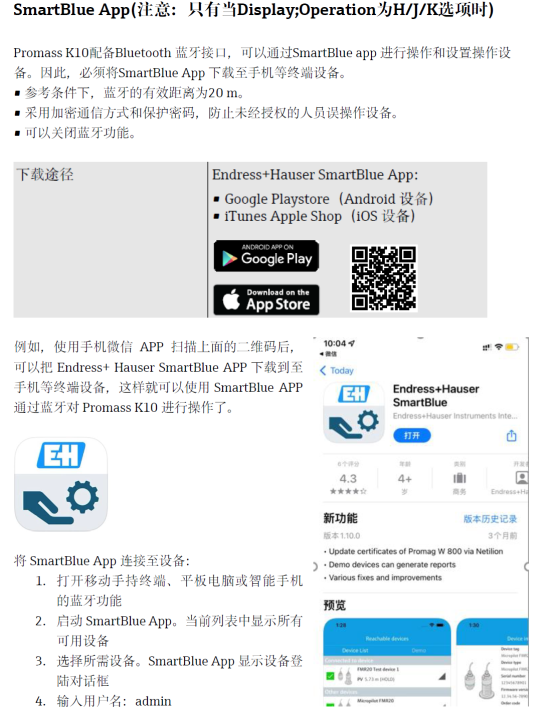
Promass 10 is a Coriolis mass flowmeter introduced by Endress+Hauser, widely used for high-precision flow measurement of liquids and gases. Through the SmartBlue App, users can wirelessly connect to the instrument via Bluetooth using a smartphone or tablet to complete commissioning, parameter setting, and diagnostics.
Compared with traditional local operation methods, the SmartBlue connection does not require opening the instrument housing, making operation more convenient, especially suitable for working conditions with limited installation locations or in hazardous areas.
[Click the image to enlarge]
Preparation Before Connection
Before starting the connection, please confirm that the following conditions are all met to avoid connection failure.
- The smartphone or tablet has the latest version of the SmartBlue App installed (available for both iOS and Android)
- The Promass 10 instrument is powered on and in normal working condition
- The instrument's Bluetooth function is enabled (some models require activation via the local display or a commissioning tool)
- The mobile device's Bluetooth is turned on, and the distance to the instrument is within the effective range (usually less than 10 meters)
SmartBlue Connection Operation Steps
Follow the steps below to complete the Bluetooth connection between Promass 10 and SmartBlue.
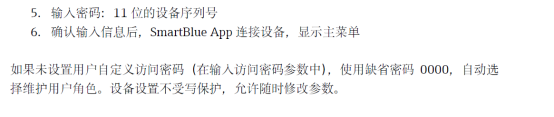
- Open the SmartBlue App on the mobile device and enter the device scanning interface.
- The App will automatically search for nearby connectable instruments. Find the corresponding Promass 10 device name in the list.
- Tap the target device and enter the instrument access password (for the default password, please refer to the accompanying documents or factory settings).
- After a successful connection, you can view real-time measured values, modify parameters, or perform diagnostics in the App.
[Click the image to enlarge]
Comparison of Connection Methods and Applicable Scenarios
Different commissioning methods have their own advantages and disadvantages. Users can choose the appropriate solution according to on-site conditions.
| Connection Method | Whether Cover Opening Is Required | Applicable Scenario | Typical Distance |
|---|---|---|---|
| SmartBlue Bluetooth | No | Hazardous areas, high-altitude installations | ≤10 meters |
| Local display operation | Yes | Conventional on-site commissioning | Contact type |
| HART handheld terminal | Yes | 4-20 mA loop commissioning | Loop connection |
Common Issues and Precautions
Possible Causes of Connection Failure
- The instrument's Bluetooth is not enabled or has been occupied by another device
- The mobile device is too far away or there is metal obstruction
- The App version is too old and incompatible with the instrument firmware
- The entered access password is incorrect
Usage Recommendations
- Stay as close to the instrument as possible during connection, and avoid environments with strong electromagnetic interference
- After the first connection, it is recommended to change the default password to ensure data security
- Disconnect the connection promptly after commissioning is completed to reduce battery consumption
Mastering the method of connecting Promass 10 to SmartBlue can significantly improve on-site commissioning efficiency and reduce operation and maintenance costs.