
PMX5x/FMX5x Pressure Gauge Factory Reset Operation Guide
When the PMX5x and FMX5x series pressure gauges have incorrect parameter configurations or need to be reset, factory settings can be restored through the operation menu. This article provides detailed steps to help engineering and technical personnel and procurement personnel quickly complete the reset operation.
Operating Steps
- Press the "E" key to enter the operation menu.
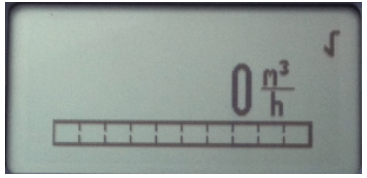
- Use the "+" or "-" keys to scroll up and down through the menu, find the diagnostic menu, and press the "E" key to enter.
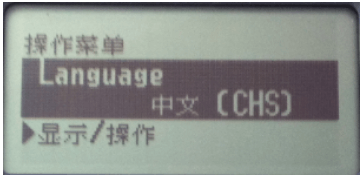
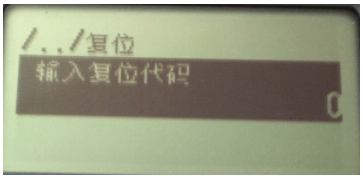
- In the diagnostic menu, use the "+" or "-" keys to find the reset menu.
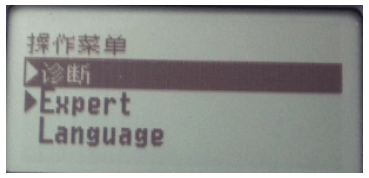
- Press the "E" key to enter the reset menu.
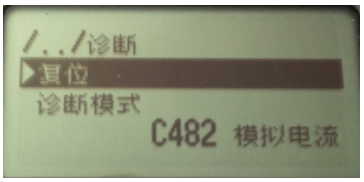
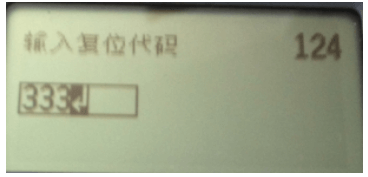
- Use the "+" or "-" keys to enter the reset password.
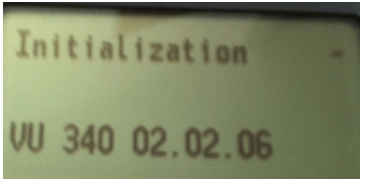
- The instrument will automatically restart and perform the corresponding reset operation according to the different reset password.
Precautions
- Before operation, please confirm that the instrument is in a safe state to avoid misoperation affecting production.
- Different reset passwords may correspond to different parameter restoration ranges. Please choose according to actual needs.
- After reset, the instrument will restart. Please wait for the restart to complete before performing other operations.
Following the above steps, you can successfully complete the factory reset of the PMX5x/FMX5x pressure gauges. If you have any questions, please refer to the product manual or contact technical support.